
众所周知在一个寄宿制高中,手机要么就是有一点点或没有
那么如何解决在答案匮乏,而老师不愿讲评或自己不愿和老师对线或xx那么可以这么实现,购买一支支持扫题的点读笔
现在你要问了,怎么实现在校园网络封锁的情况下使用扫题这么一个联网功能呢 (如果你知道学校WiFi密码或有办法使用网络另说)
需要班上有一台可联网的且有无线网卡的电脑,比如希沃
大致思路为
- 使用无线网卡进行WIFI共享
- 使用ps脚本在开机时自动启动wifi
打开开发者模式
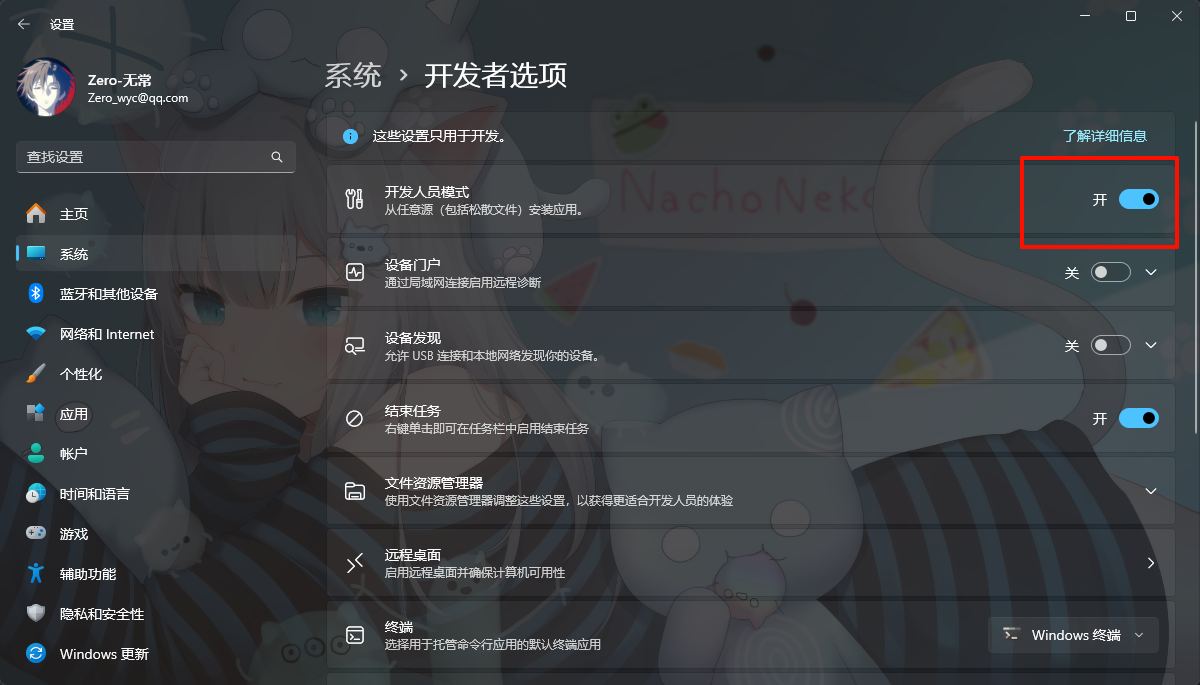
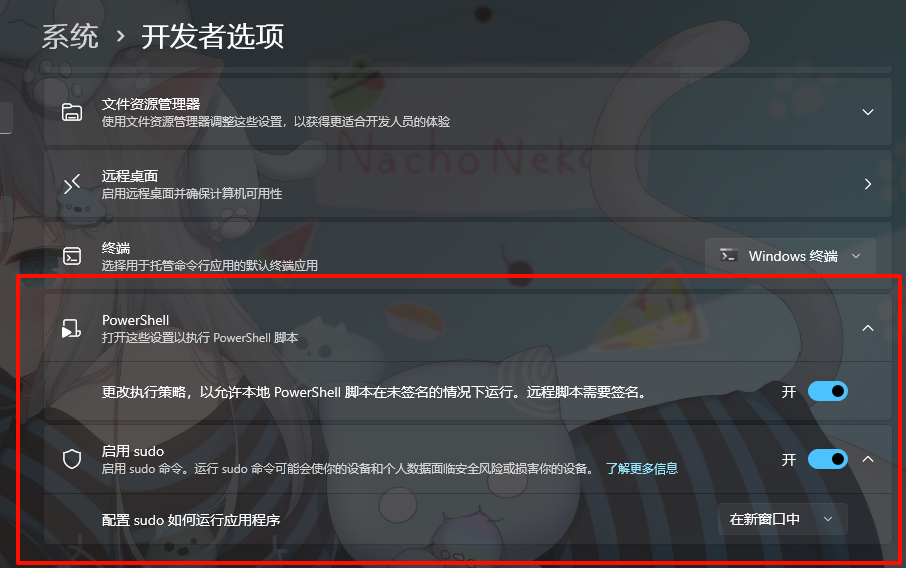
打开这俩个
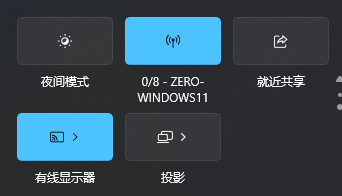
自动开启热点
在打开的Windows PowerShell窗口中输入
powershellset-executionpolicy remotesigned等待一会,将出现如下的提示。输入:a。然后按下回车键(Enter按键)。(Windows11的终端中可能不显示提示,这是正常的。)
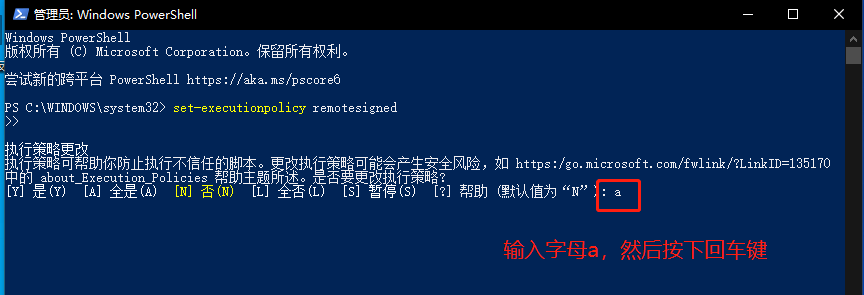
关闭Windows PowerShell窗口。打开资源管理器,并在地址栏输入:
%appdata%\Microsoft\Windows\Start Menu\Programs\Startup再startup目录内新建wifi.bat文件并输入
powershellpowershell -executionpolicy remotesigned -file "%appdata%\Microsoft\Windows\Start Menu\Programs\pondsihotspot.ps1" exit在资源管理器的地址栏输入:
%appdata%\Microsoft\Windows\Start Menu\Programs在Programs文件夹内新建的文件并命名为“pondsihotspot.ps1“
powershellAdd-Type -AssemblyName System.Runtime.WindowsRuntime $asTaskGeneric = ([System.WindowsRuntimeSystemExtensions].GetMethods() | ? { $_.Name -eq 'AsTask' -and $_.GetParameters().Count -eq 1 -and $_.GetParameters()[0].ParameterType.Name -eq 'IAsyncOperation`1' })[0] Function Await($WinRtTask, $ResultType) { $asTask = $asTaskGeneric.MakeGenericMethod($ResultType) $netTask = $asTask.Invoke($null, @($WinRtTask)) $netTask.Wait(-1) | Out-Null $netTask.Result } Function AwaitAction($WinRtAction) { $asTask = ([System.WindowsRuntimeSystemExtensions].GetMethods() | ? { $_.Name -eq 'AsTask' -and $_.GetParameters().Count -eq 1 -and !$_.IsGenericMethod })[0] $netTask = $asTask.Invoke($null, @($WinRtAction)) $netTask.Wait(-1) | Out-Null } $connectionProfile = [Windows.Networking.Connectivity.NetworkInformation,Windows.Networking.Connectivity,ContentType=WindowsRuntime]::GetInternetConnectionProfile() $tetheringManager = [Windows.Networking.NetworkOperators.NetworkOperatorTetheringManager,Windows.Networking.NetworkOperators,ContentType=WindowsRuntime]::CreateFromConnectionProfile($connectionProfile) if ($tetheringManager.TetheringOperationalState -eq 1) { "" } else{ Await ($tetheringManager.StartTetheringAsync()) ([Windows.Networking.NetworkOperators.NetworkOperatorTetheringOperationResult]) }重启查看是否有问题
如此一来,班级开机的时候即可自动开启WiFi,去设置自定义一下WIFI名称和密码即可享受